
There are two types of pages on your website.
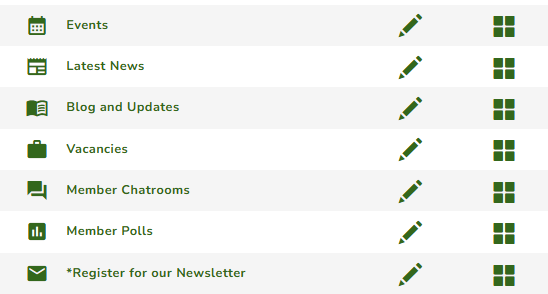
First, a Module Page. This type of page has a unique icon beside its name. It automatically displays content based on the module type. To add content, just add items or articles into the related module, and it will dynamically update the page. Typically these pages do not need to be edited in the pages area unless you want to updated the heading or link name. You cannot add more than one module page of the same type in the system, unless it is a Membership module. Add a New Page
Second, a Plain Page. This page is not associated with any module, and will display the custom content that you create. You can add multiple plain pages in the system. However, you can use module widgets to display module content on these pages. Page widgets
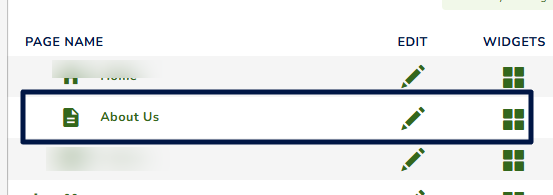
There are two ways to edit page content: via the pen icon (site content) and the widget icon (content and module widgets).
To edit a page, please ensure you have the necessary permissions to access the page dashboard.
- Navigate to Pages from the top navigation menu.
- Select the page you want to edit.
- Click either the pen icon (Creating Page Content Using the Content Editor) or the widget icon, depending on the type of content you want to modify. Page Widgets
- Make your changes and save to update the page.
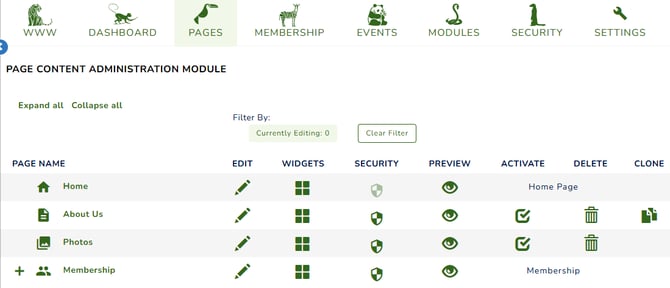
Your page dashboard may vary depending on the permissions granted to your account.
For more details on how you can manage your pages, please see here: Managing & Building Pages on Your Website