
IMPORT PAYMENTS INTO YOUR ACCOUNTING SOFTWARE
To import your invoices in to Xero (example shown below) or other accounting software, you will first need to produce a Site Payment Report & Export to Xero.
To enable the “Export as Xero Invoices CSV” option, an account code must first be configured in the External/Xero Accounting Code section of your Organisation Settings. This should correspond to the income account in your accounting software where the payment is to be allocated.
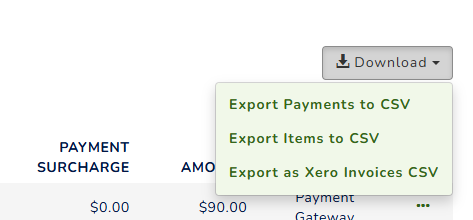
The import is compatible with various accounting software; however, we recommend testing it in a trial environment first, as it may require modifying the heading names.
IMPORT PAYMENTS INTO XERO
The Xero export shows all the fees and line items:
A line for each item the member purchased.A line for the service fee being passed on to the member (as you have your fees being passed on).
A line for the service fee being deducted by us as part of the transaction.
The reason for this is so that the total is the correct amount of money you receive for that transaction. If you don't want it to show the service fee deduction, you can remove it from the spreadsheet by filtering out rows with "Service Fee" as the Description before importing into xero.
Follow the steps you'll see on your screen.
Step 1: Download your invoices template file.
Step 2: Copy your invoices into the template.
Step 3: Import the updated template file. For this step, you need to click 'Browse' > select the CSV file and follow the options below.
Would you like to update the contact address details? : YES
Is the UnitAmount field tax inclusive or exclusive? : TAX Inclusive
See below video for further steps:

If you choose to import invoices at the pending stage not paid, you will need to manually update your Xero record and Member Jungle record once the user has made the payment. Xero does not accept re-importing invoices once they are paid.
For more information on Payment Reports please visit - Click Here